

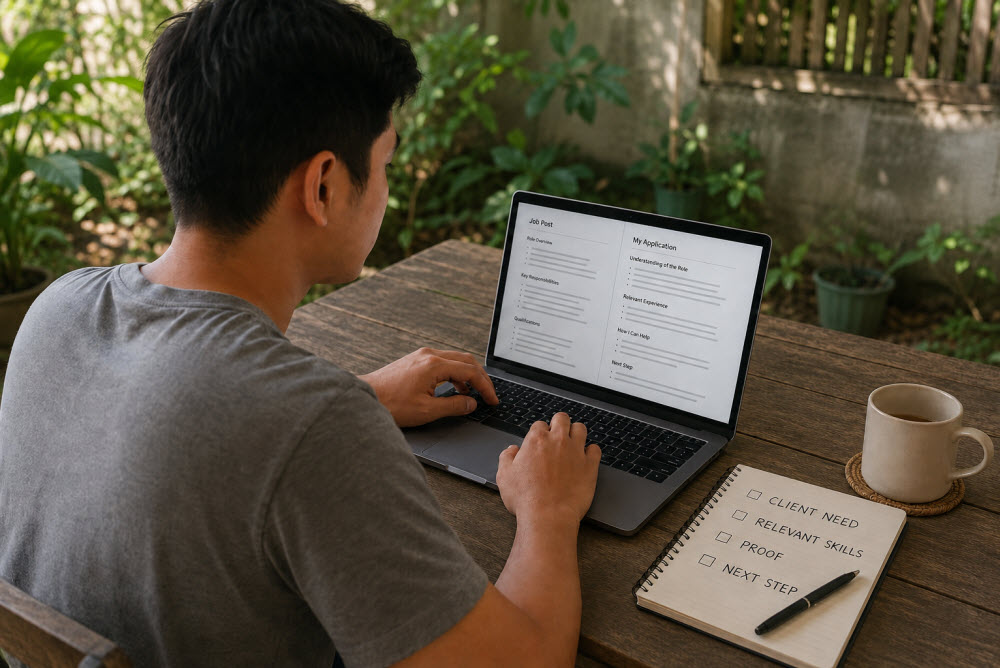
How to Write a Client-Focused Virtual Assistant Application
Applying for your first virtual assistant job can feel deeply personal. You may be thinking about the income you need, the career you hope to build, and the chance you want someone to give you. Those feelings are understandable—but they should not become the main message of your application.
A client is reading applications because something in the business needs attention. Perhaps emails are being missed, content is not being published on time, customers need faster replies, or routine tasks are taking the owner away from more important work.
Your application becomes stronger when it shows that you understand that problem and can help solve it.
This is what makes an application client-focused. It does not ignore your skills or story. It presents them in a way that answers the client’s most important question:
“How can this person make my work easier, better, or more reliable?”
What Is a Client-Focused VA Application?
A client-focused virtual assistant application connects three things:
- What the client needs
- What you can do
- Evidence that you can do it carefully and reliably
Instead of sending the same introduction to every employer, you adapt your message to the role. You mention the responsibilities that matter most, choose relevant examples, and explain how your approach would support the client’s desired result.
Compare these two statements:
“I am hardworking, a fast learner, and looking for a long-term opportunity.”
“I can help keep your content calendar organized, prepare posts ahead of schedule, and check every caption and link before publication.”
The first statement describes the applicant. The second helps the client imagine the applicant doing the work.
Qualities such as dedication and willingness to learn still matter. They become more convincing when shown through a relevant action or example.
Why Generic Applications Are Easy to Ignore
Clients often receive many messages containing the same claims: “I am interested,” “I am hardworking,” or “I can do all the tasks.” These phrases add little when they are unsupported. A generic message may overlook the client’s needs, list unrelated skills, repeat the resume, or focus mainly on what the applicant wants.
You do not need to start from nothing each time. Reuse a reliable structure, then tailor the opening, relevant skills, proof, and questions for each opportunity.
Step 1: Read the Job Post Like a Problem Solver
Before writing, read the complete listing at least twice.
On the first reading, understand the role generally. On the second, look for clues about what the client truly values. Highlight:
- The tasks mentioned more than once
- Required tools or platforms
- Working hours and time-zone expectations
- Communication requirements
- Immediate problems or frustrations
- Words describing the ideal person
- Application instructions and required questions
For example, a listing may ask for WordPress updates, image formatting, and blog publishing. But if it repeatedly mentions accuracy and deadlines, the deeper need is probably dependable content management—not simply knowing how to log in to WordPress.
Your application should address both the tasks and the concern behind them.
Step 2: Identify the Client’s Desired Outcome
Turn the job description into a simple result statement:
“The client needs someone who can ______ so that ______.”
Examples:
- The client needs someone who can organize the inbox so important messages receive timely replies.
- The client needs someone who can publish WordPress content accurately so the website stays current and professional.
- The client needs someone who can schedule social posts consistently so the brand remains active without daily supervision.
- The client needs someone who can update product information so customers receive clear and accurate details.
This sentence helps you choose what to emphasize. You are no longer applying for a vague “VA role.” You are offering help with a particular business outcome.
Step 3: Match Your Most Relevant Skills
You do not need to mention every skill you have. Choose the three or four that best match the role.
If the client needs an administrative VA, highlight organization, email management, scheduling, documentation, and follow-up. For a WordPress role, emphasize content formatting, image handling, quality checks, basic SEO, and troubleshooting. For customer support, focus on clear communication, patience, accurate recordkeeping, and escalation.
Beginners sometimes include a long list of tools to appear qualified. A shorter, relevant list is usually stronger. Knowing the exact platform is helpful, but understanding the work matters too.
If you have not used one required tool, be honest and connect it to something similar:
“I have not yet worked directly in ClickUp, but I have organized projects in Trello and understand task ownership, deadlines, status updates, and checklists. I am prepared to learn your ClickUp workflow.”
This sounds more credible than claiming expertise you cannot demonstrate.
Step 4: Add Evidence, Even Without VA Experience
Evidence makes an application believable. It does not have to come from a paid virtual assistant job.
You can use a practice portfolio project, transferable experience from a previous career, volunteer responsibilities, schoolwork, or a personal project. You can also demonstrate a useful checklist or process you created.
Suppose you are applying for calendar management but have never supported an online client. You might explain that you coordinated schedules, appointments, or deadlines in a previous role. If you are applying for content work, link to a sample blog post, social calendar, or formatted WordPress page you created for practice.
Use a simple evidence formula:
Task + approach + result
“For a practice content project, I organized one month of post ideas in a calendar, prepared the captions in advance, and created a checklist to keep the tone, links, and publishing dates consistent.”
Never invent clients, numbers, or results. Honest beginner evidence is more valuable than an impressive story that cannot be supported.
Step 5: Write an Opening That Shows Relevance
The first few lines should quickly show that you read the listing.
Avoid opening with a long life story or a general statement that could apply to any role. Begin with the client’s priority and the help you can provide.
Example for a WordPress Content Role
“Keeping a busy website updated requires more than uploading text. I can help format each page carefully, optimize images, check links, and complete a final mobile review before publication.”
Example for an Administrative VA Role
“It sounds like you need someone who can keep routine administrative work moving without constant follow-up. I can help organize requests, track deadlines, and provide clear progress updates so important details do not get missed.”
Example for a Social Media Role
“I can help turn your content plan into a consistent publishing routine by preparing captions, organizing assets, scheduling approved posts, and checking the calendar ahead of each deadline.”
These openings are direct without sounding aggressive. They focus on usefulness, not exaggerated promises.
Step 6: Explain How You Would Approach the Work
Clients want to know not only whether you recognize a tool, but also how you think.
Include a brief description of your process. For example:
“I would begin by reviewing your existing workflow and priorities. I would then organize recurring tasks, confirm deadlines, and use a checklist for completion and quality control. I would send concise updates so you always know what is finished, in progress, or waiting for approval.”
This gives the client a small preview of working with you. Keep it practical and appropriate to the role. Do not propose an elaborate system before you understand the business.
Step 7: Follow Every Application Instruction
Application instructions are often a simple test of attention to detail. If the post asks for a subject line, availability, portfolio link, short introduction, rate, or answer to a specific question, provide it exactly as requested.
Before sending, create a quick checklist:
- Correct recipient or client name
- Requested subject line
- All questions answered
- Working portfolio and file links
- Correct availability and time zone
- Accurate rate information
- No unfinished placeholders
- No confidential information from another application
A beautifully written message can still be rejected if it ignores basic directions.
Step 8: End With a Clear, Low-Pressure Next Step
Finish by making it easy for the client to respond. You do not need to beg for an interview or promise that you are the best applicant.
Try:
“I would be glad to learn more about your current workflow and discuss how I could support it. I am available for a short interview at your convenience.”
Or ask one useful question:
“Which area needs the most immediate support: publishing new content or maintaining existing pages?”
A thoughtful question can show that you are already considering the client’s priorities. Avoid sending a long list of questions before the client has expressed interest.
A Simple Client-Focused Application Structure
Use this structure as a guide, not a script:
- Relevant opening: Show that you understand the main need.
- Best-matched skills: Mention only the abilities that support the role.
- Brief evidence: Provide one or two truthful examples or samples.
- Working approach: Explain how you would organize, check, and communicate about the work.
- Practical details: Confirm availability, time zone, rate, and requested links.
- Clear closing: Invite the next conversation or ask one useful question.
Complete Beginner-Friendly Example
Here is a sample for a client seeking help with blog publishing:
Hello,
I can help keep your blog publishing schedule moving by preparing posts carefully, formatting headings and images, adding approved links and metadata, and checking each page before it goes live.
I have practiced creating and formatting WordPress content and understand the importance of consistent layouts, readable structure, mobile checks, and accurate links. You can view a relevant sample here: [portfolio link].
I would begin by learning your publishing checklist and preferred style. I would track each article from draft to approval, flag missing assets early, and provide brief progress updates so deadlines remain visible.
I am available [days/hours and time zone], and I have included the information requested in your post. I would be happy to discuss your current workflow and the type of publishing support you need most.
Thank you,
[Your name]
Notice that the message does not claim years of experience the applicant does not have. It still sounds capable because it is specific, organized, and focused on the client’s work.
Common Mistakes to Avoid
- Making it mostly about you: Connect your background and goals to what you can contribute.
- Copying the job description: Explain the responsibilities naturally and show how you would handle them.
- Claiming you can do everything: Emphasize real strengths and acknowledge manageable gaps honestly.
- Writing too much: Remove unrelated history, repeated adjectives, and unnecessary explanations.
- Using AI without personalizing: Verify every claim and make sure the result reflects your experience and voice.
- Sending without proofreading: Check names, titles, links, attachments, spelling, and answers.
How Long Should a VA Application Be?
There is no perfect word count. For many online job posts, approximately 150 to 300 words is enough to show relevance without overwhelming the client. A detailed role with several required questions may need a longer response.
Follow the client’s requested format. A short form answer should not become an essay, while an application requesting examples and a plan should not receive only two sentences.
The goal is not to make the application as short as possible. It is to include everything the client needs—and nothing that distracts from it.
Frequently Asked Questions
Here are clear answers to some of the most common questions readers have about this topic.
What if I do not know the client’s name?
Use a simple greeting such as “Hello” or “Hello Hiring Manager.” Do not guess a name. Focus on writing a warm and relevant opening.
Should I use the same application template for every VA job?
You can reuse a basic structure, but tailor the opening, relevant skills, evidence, and questions for every role. Remove details that do not support the specific application.
How can I prove my abilities without client experience?
Create relevant samples and use transferable experience from work, volunteering, education, or personal projects. Explain what you did, how you approached it, and what the result demonstrated.
Should I mention skills I am still learning?
Yes, when they are relevant. State your actual level honestly and connect the skill to similar experience. Do not label yourself an expert until you can perform the work independently.
Is it acceptable to use AI to write my application?
AI can help you outline or improve a draft, but every statement must be true. Rewrite generic language, protect private information, and make sure the final application reflects your own experience and voice.
Key Takeaways
Before you close this page, here are the most important lessons to carry with you:
- Read the complete job post and identify the problem or outcome behind the listed tasks.
- Match only your most relevant skills instead of overwhelming the client with everything you know.
- Support your claims with honest examples, transferable experience, or portfolio samples.
- Explain how you would approach the work and follow every application instruction carefully.
- Keep the message concise, personalized, and focused on how you can help the client.
“You do not need to sound perfect to be noticed; you need to show that you listened, understood, and are ready to help.”
Final Thoughts
A strong virtual assistant application is not a performance filled with impressive words. It is a clear introduction to the value, care, and support you can bring to a client’s work.
Read carefully. Choose relevant evidence. Be honest about what you know. Show how you think, and make the next step easy.
You may be a beginner, but you can still communicate like a professional. When your application helps the client see a practical solution—not merely another person asking for a chance—you become much easier to remember.